
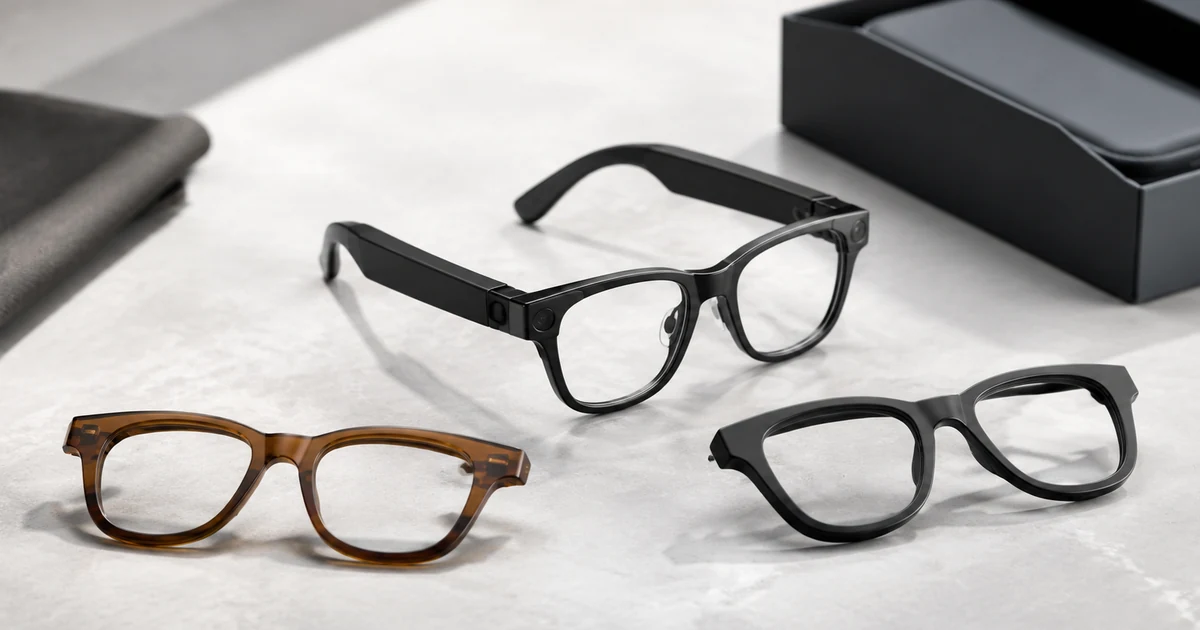
Once a brand decides to launch AI smart glasses, the next question is how much of the product it can make its own. The answer is that customization comes in layers, from a logo and a frame color up to a completely new frame, and cost and lead time rise as you go deeper. Knowing the layers lets you pick a depth that fits your budget, your volume, and how different you need to look. This guide maps the four layers, walks the process from sample to production, and uses the Yawell A2C on the HeyCyan app as the source-bound reference.
TL;DR
- AI glasses customization has four layers: cosmetic (color, lens, logo, packaging), configuration (features and camera or audio tuning), app and data (HeyCyan branding, SDK or API, or a custom app), and industrial design (a new frame).
- Each deeper layer costs more and takes longer.
- Pick the depth that matches your goal and confirm it in a written RFQ.
Customization is a choice of depth
The common misconception is that you either take a stock product with a logo or commission a bespoke design. In practice there are four layers between those extremes, and most brands land in the middle. Each layer adds control over how the product looks, works, or feels, and each adds cost and time. The skill is matching the layer to what your brand actually needs rather than paying for depth you will not use.
The four layers, from lightest to deepest, are cosmetic, configuration, app and data, and industrial design. Here is what each one changes.
Layer 1, cosmetic: color, lens, logo, packaging
The lightest layer changes how the glasses look without touching the electronics or the frame tooling. You choose the frame color and finish, the lens, your logo placement, and the retail packaging. This is standard private-label eyewear customization, which manufacturers offer as a matter of course, so it carries the lowest tooling cost and the fastest lead time.
For most first launches this layer is enough. Applied to a proven reference like the A2C, it gives you a branded product quickly while the hardware stays a known quantity. You get a distinct look on the shelf without funding a new mold.
Lens choice belongs here too. Clear, tinted, blue-light, and polarized options change both the look and the use case, and some buyers add a prescription-ready path so an optician can fit lenses later. Decide the lens range you want to stock early, because it affects your packaging and your product listings more than the electronics.
Layer 2, configuration: features and tuning
The second layer changes what the glasses do, within the limits of the existing platform. You select which features ship, and you tune the camera and audio behavior without new hardware. Because AI camera glasses run a fixed set of capabilities on their chipset, choosing and tuning that set is a real way to differentiate without paying for tooling.
The A2C gives you a feature menu to work from: shooting and video, AI translation, an AI assistant, Bluetooth calling, music playback, and dual-mic noise cancellation, all through the HeyCyan app. A brand aimed at travelers might foreground translation, while one aimed at creators might foreground capture. Same hardware, different product emphasis.
A concrete example makes the layer clear. A travel-focused brand could lead the onboarding and home screen with translation, set the default gestures to start a translation session, and tune the mic array for conversation capture. A content brand starting from the same A2C could lead with the camera, prioritize quick capture, and tune audio for the wearer’s own voice on calls. Neither needs a new part; the difference is which capabilities you surface and how they are tuned.
Layer 3, app and data: HeyCyan and beyond
The third layer is the software identity of the glasses, and on a device this app-driven it matters as much as the frame. You can rebrand the companion app, use an SDK or API to feed the device data into your own app or cloud, or build a fully custom app. Translation languages, the assistant experience, and how the data is stored all live here.
The A2C uses the HeyCyan app, and how far you take the app is its own decision with its own cost and control tradeoffs. Because this choice can be as large as the hardware customization, treat it as a separate track. The white-label versus custom app guide walks through the three app paths in detail.
Layer 4, industrial design: a new frame
The deepest layer changes the physical design. A new frame shape, a different mechanical layout, or a materially altered form all require new tooling, which makes this the slowest and most expensive layer and usually raises the minimum order. It is the right choice for a scaled brand that needs a look no competitor can copy and has the volume to justify the mold.
Most brands reach this layer only after a first product has proven demand. Starting here is possible, but it front-loads the cost and the timeline, so it should be a deliberate decision tied to volume.
The process, from sample to production
Whichever depth you choose, the path is similar. You pick a reference such as the A2C, choose your customization depth, and approve a sample. If your depth includes an industrial-design change, tooling comes next and adds time. App branding runs in parallel or after, then testing and the certification your target markets require, and finally production. Minimum order quantity and tooling gates rise with depth, so the deeper you go, the more of the plan belongs in a written quote rather than a blog estimate.
Customization layers table
| Layer | What changes | Tooling / lead time | Best fit |
|---|---|---|---|
| 1. Cosmetic | Frame color/finish, lens, logo, packaging | Lowest tooling, fastest | Fast brand launch on a proven reference |
| 2. Configuration | Feature selection, camera/audio tuning within the platform | No new hardware tooling | Differentiate features without new molds |
| 3. App and data | HeyCyan branding, SDK/API, or custom app | Software timeline, varies | Own the software experience and data |
| 4. Industrial design | New frame tooling, mechanical changes | Highest tooling, longest, higher MOQ | Scaled brand wanting a unique frame |
Do not forget compliance
Customization does not remove the duties that come with a camera and a microphone on the face. A branded product still needs a plan for recording-privacy law, a visible recording indicator, and radio and safety certification for each market you sell in. That plan sits alongside your customization choices rather than after them. The AI camera glasses OEM guide covers the compliance detail, so scope it into the project from the start.
Which depth should you choose?
Choose the cosmetic layer if you want a fast, low-cost launch and a proven reference meets your product goal. It puts your brand on the shelf with the least risk.
Choose the configuration layer if you want to differentiate on features, such as leading with translation or capture, without funding new hardware.
Choose the app and data layer if the software experience and data ownership are central to your brand, and you want more than a rebranded app.
Choose the industrial-design layer if you are a scaled brand, you need a frame no one else has, and your volume justifies the tooling.
Many brands combine layers, for example cosmetic plus app branding on a first product, then a custom frame once demand is proven. Yawell supports all four depths on the A2C reference, and the right mix is scoped in an RFQ.
FAQ
Can you private-label smart glasses?
Yes. The cosmetic layer, frame color, lens, logo, and packaging, is standard private-label customization and the fastest way to brand a proven reference like the A2C.
What can I customize on the A2C?
You can change the look (color, lens, logo, packaging), select and tune the feature set (shooting, translation, assistant, calling, music, dual-mic), brand or replace the HeyCyan app, and, at the deepest layer, tool a new frame.
Can I customize the app and translation languages?
The app layer is where translation languages, the assistant experience, and branding are set. You can rebrand HeyCyan, use an SDK or API, or build a custom app. See the white-label versus custom app guide.
How much does a custom frame cost?
A new frame needs tooling, which raises cost, lead time, and the minimum order. The exact figures depend on the design and volume, so send your plan for a written quote.
What app do the glasses use?
The A2C uses the HeyCyan app for shooting, translation, the assistant, calls, and media.
Ready to customize a glasses program
Decide how deep you want to go, cosmetic, configuration, app, or a new frame, then send an RFQ with your look, feature set, app plan, and target markets. Yawell replies with what each layer takes and a written scope. Read the AI camera glasses OEM guide for the hardware and compliance detail and the white-label vs custom wearable app guide for the app choice. The Yawell A2C smart glasses page has the reference model, then open an RFQ.